Archr
A terminal tool for keeping a project on its intended architecture when most of the code is written by coding agents.
Archr is a terminal tool for reading a whole project, writing down the architecture it's meant to have, and reviewing changes against it. A good portion of my code is now written by coding agents, and I work with them the way I'd work with a team of senior engineers: they write the code, I own the shape of it. Archr is the tool for that second half.
Motivation
Agents write good enough code and weak architecture. Each change looks fine on its own, yet the project drifts. Review tools work on a changeset, so they show the drift one diff at a time. Nothing showed me the whole project, what it's meant to be, and where it has gone wrong - and once a project has drifted, there's no diff left to review.
Approach
- Browse the whole project, not just a diff, and read code with its architecture beside it
- Two kinds of note: annotations say what the project is meant to be and last; comments belong to one review and go with it
- Both are plain Markdown with frontmatter, so an agent reads them without help
- Agents work through a CLI: they read comments, reply to them, and propose changes to annotations, but never edit one themselves
Annotations and comments
An annotation is part of the project.
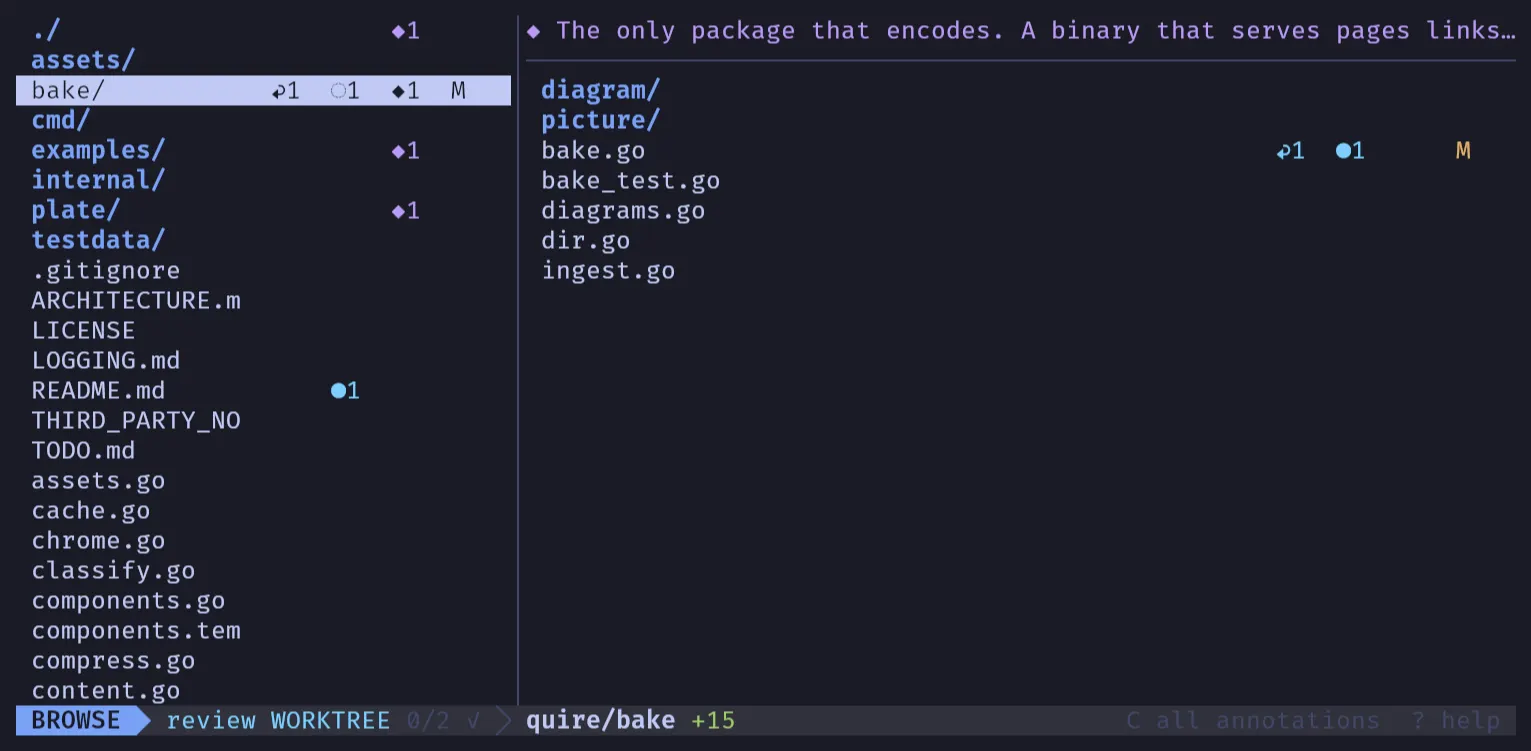
It sits on the project, a folder, a file, a range of lines, or several of those at once, and it's committed under .archr/annotations/, so it travels with the code and git is its history.
It's drawn in magenta: ◆ on a file or folder, ✎ on lines.
A comment is part of a review, of the working tree, a commit or a range.
It's kept under .git/archr/, per clone and never committed, and drawn in cyan: ● and ✱.
When a comment turns out to be a rule rather than a request, one key promotes it to an annotation.
The split is the point. A comment says "change this"; an annotation says "this is how it's meant to be". An agent can push back on the first, and has to respect the second.
Briefing the team
archr agent prints how an agent should use Archr, then the project's own conventions from .archr/agent.md.
That file is where I set the working rules, the way I'd brief a new senior joining the team.
A few from Quire's:
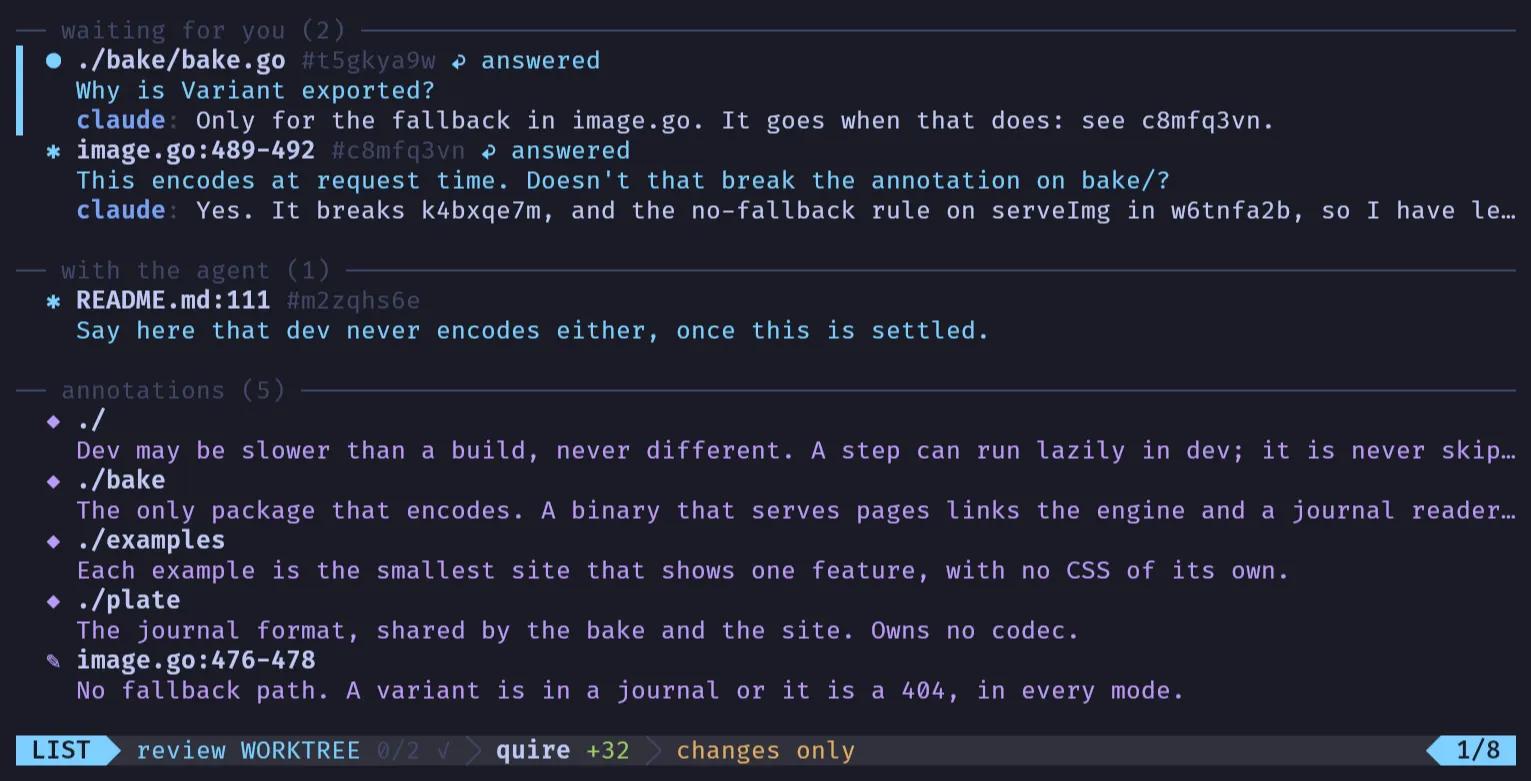
- A question gets an answer as its reply, not a change.
- A request is confirmed with the human before you act on it, unless they have told you to go ahead.
- When a comment asks for something an annotation rules out, the annotation wins: stop and ask the human. Never decide between them yourself.
- When an answer of yours turns out wrong, or a later change makes it stale, reply again to the same comment, saying what changed.
A reply records where a comment landed, read beside the code. Anything with options and trade-offs goes back to the conversation rather than into a thread.
Reviewing
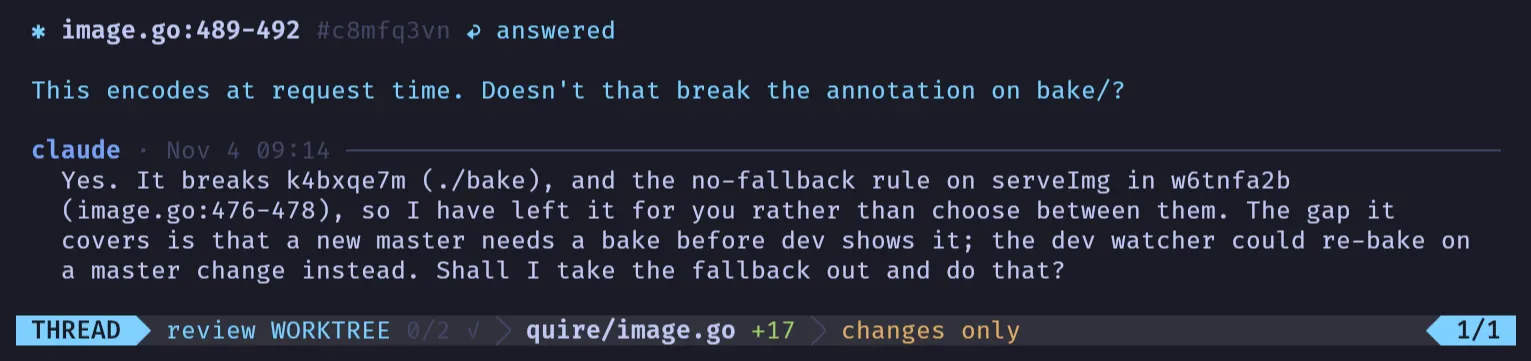
In a git repository Archr is always in a review: the working tree by default, or a commit or a range.
- Changed files are marked
AMDR, and one key narrows the view to them - The reader is the diff viewer: removed lines in place, changed words highlighted, unchanged runs folded
- Every change in a folder reads as one scroll, with generated files collapsed
- Marking a file reviewed remembers its contents, so if it changes again its
✓turns to~ - Bracket keys step through changes, files, annotations, comments and tour stops
A comment can go on a line, a token, a range, a removed line, a file, a folder or the whole project. One on a removed line is about the code as it was.
Tours
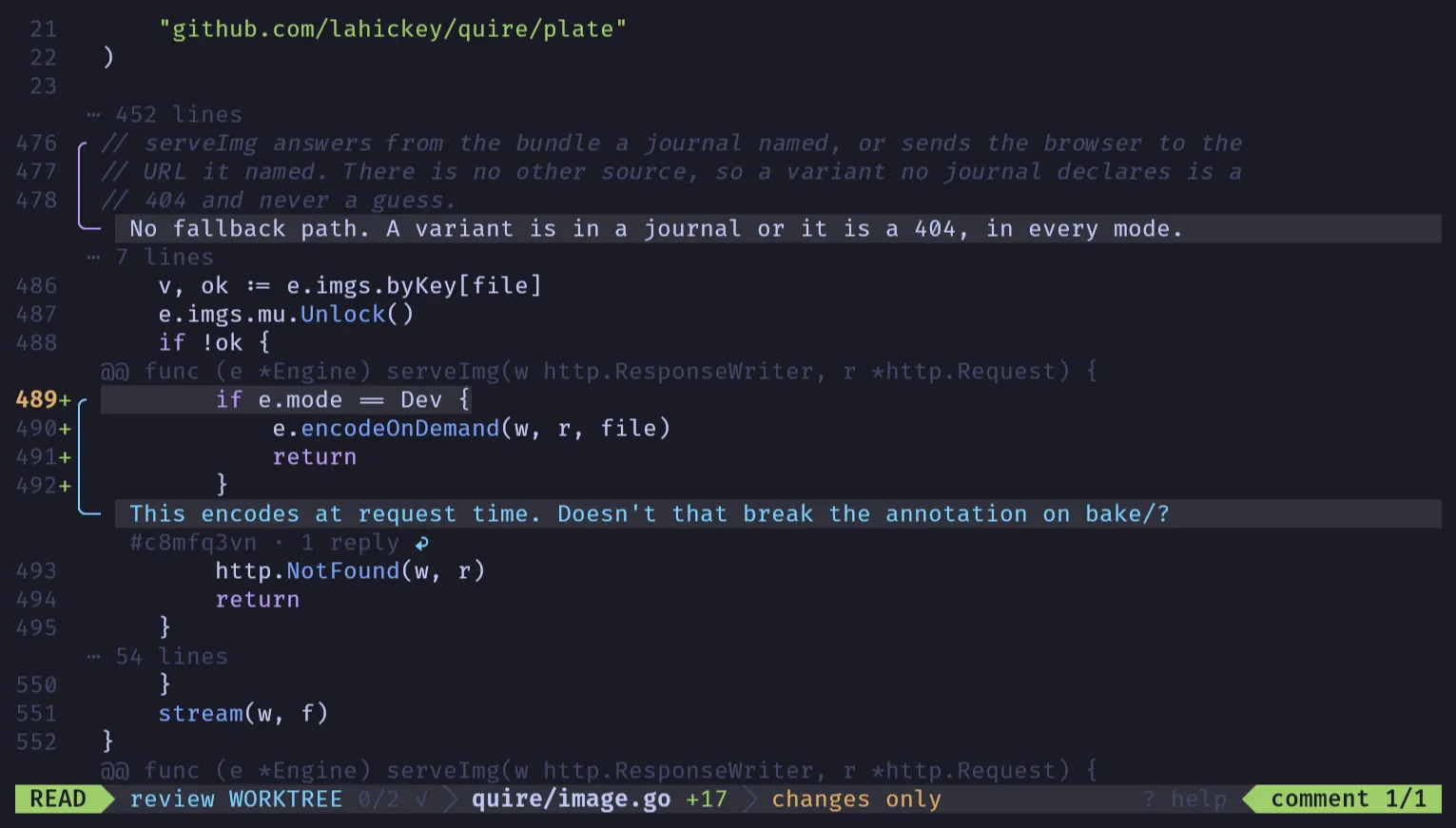
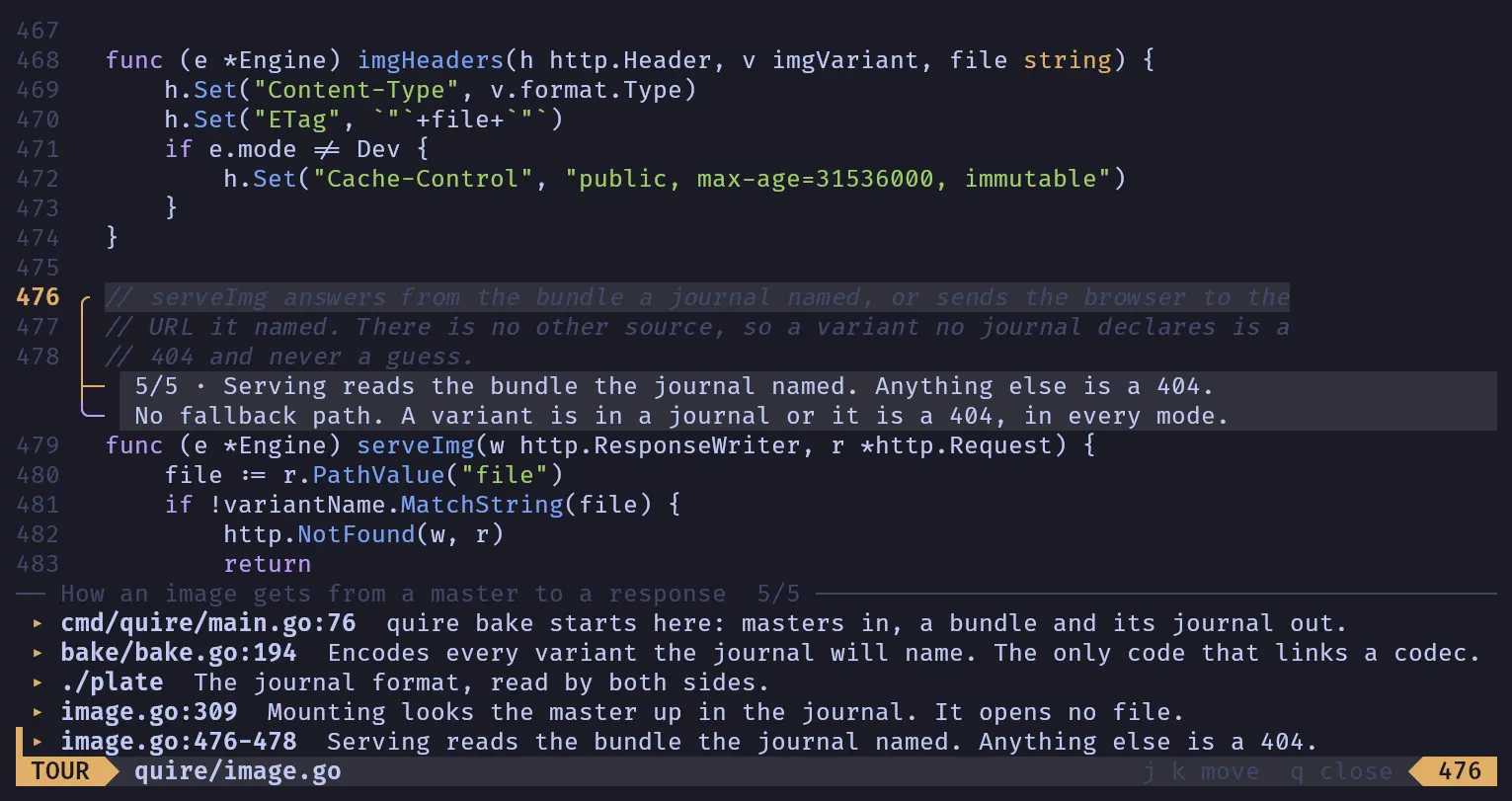
Agents show me code too. An agent writes a tour - an ordered set of stops, each a file, folder or lines with a short note - and Archr steps through it in a drawer along the bottom, drawn on the code in yellow. When I ask how a flow crosses several files, the answer arrives in the code rather than in a chat window.
Where it is
Archr is in a live trial on Quire, with Assay, Pulse and Cinder next. Next is re-anchoring: notes don't yet follow their lines when a file changes underneath them. After that, a helicopter view: the project as areas - concepts such as caching that cross folders - each fogged when its code has changed since I last understood it, so I can bring my picture of one part up to date while the rest stays in fog. It's Go, with Bubble Tea and Lip Gloss for the interface and chroma for highlighting.